Browse Category
Diagnostic Tools
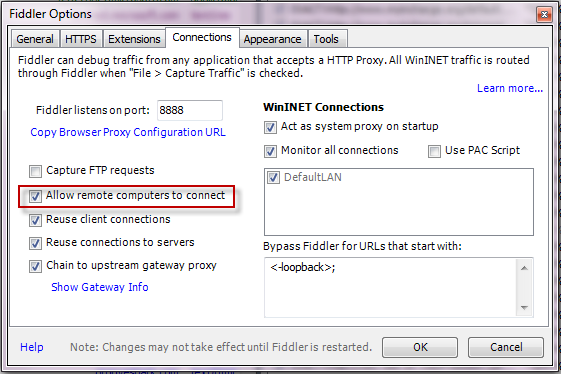
OkHttpClient – Get real request/response headers log
Request headers:
I: .Sending request http://www.some_site.com/some_file.js Headers:
Host: www.some_site.com
Connection: Keep-Alive
Accept-Encoding: gzip
User-Agent: okhttp/3.8.1
If-Modified-Since: Thu, 14 Sep 2017 11:35:41 GMT
Response headers:
I: . 200 – OK => Received networkResponse for http://www.some_site.com/some_file.js in 141.2ms
StrictMode – Detects things you might be doing by accident
Useful diagnostic tool. It helps to find and fix performance issues, object leaks and other runtime issues.
if (BuildConfig.DEBUG) {
 StrictMode.setVmPolicy(new StrictMode.VmPolicy.Builder()
       .detectAll()
       .penaltyLog()
       .build());
 StrictMode.setThreadPolicy(new StrictMode.ThreadPolicy.Builder()
       .detectAll()
       .penaltyLog()
       .penaltyDeathOnNetwork()
       .build());
}
Example in logs:
D: StrictMode policy violation; ~duration=19 ms:
        android.os.StrictMode$StrictModeDiskReadViolation:
                policy=543 violation=2
at android.os.StrictMode$AndroidBlockGuardPolicy.onReadFromDisk(StrictMode.java:1137)
at android.app.SharedPreferencesImpl.awaitLoadedLocked(SharedPreferencesImpl.java:202)
at android.app.SharedPreferencesImpl.getBoolean(SharedPreferencesImpl.java:259)
at .MyApplication.notificationToggleCheck(MyApplication.java:54)
at .MyApplication.onCreate(MyApplication.java:35)
...
http://developer.android.com/reference/android/os/StrictMode.html