android {
    applicationVariants.all { variant ->
        variant.outputs.all {
            def flavor = variant.productFlavors[0].name
            if (flavor == 'prod') { // Open folder for specific flavor
                variant.assemble.finalizedBy openFolderWithApk
            }
        }
    }

    task openFolderWithApk(type:Exec) {
        workingDir '../app/prod/release/' //Update flavor and buildType
        commandLine 'cmd', '/c', 'start .' //on windows
    }
}
Browse Tag
apk
Change output apk name using build.gradle
Output result: AppNameProd4.1.2_050718.apk
android {
    applicationVariants.all { variant ->
        variant.outputs.all {
            def flavor = variant.productFlavors[0].name.capitalize()
            def version = variant.versionName
            def date = new Date()
            def formattedDate = date.format('ddMMyy')
            outputFileName = "AppName${flavor}${version}_${formattedDate}.apk"
        }
    }
}
Run signed apk on your device via Android Studio
- Open local.properties and add there keystore location, alias and password:This file must NOT be checked into Version Control Systems, as it contains information specific to your local configuration and password now.
password=your_password
keystore=C\:/keystore_location/keystore.jks
alias=your_alias
- Add signingConfigs at build.gardle of the module:
android { ... signingConfigs { release { keyAlias alias keyPassword password storeFile file(keystore) storePassword password } } ... } - Add build types:
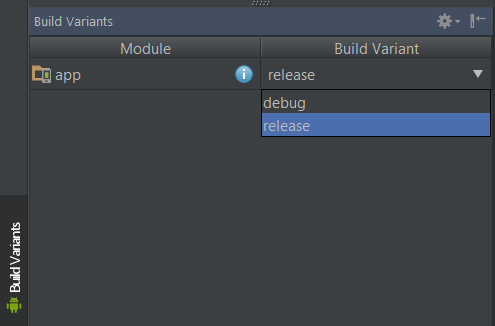
android { ... buildTypes { debug { minifyEnabled true proguardFiles getDefaultProguardFile('p.txt'), 'proguard-rules.pro' shrinkResources true } release { minifyEnabled true proguardFiles getDefaultProguardFile('p.txt'), 'proguard-rules.pro' shrinkResources true signingConfig signingConfigs.release } } ... } - Before running choose build variant: